

Quick answer: To research and write a dissertation faster, match one tool to each stage of the work. Writing a dissertation becomes far easier when Studocu organises your course material, Zotero and Mendeley manage your references, ChatGPT helps you outline, and Grammarly polishes the draft.
Used correctly, each tool supports your own research instead of replacing it.
- Keep all your notes and study materials in one location.
- Manage references and citations efficiently.
- Create clear outlines before drafting.
- Improve clarity, grammar, and readability.
Writing a dissertation is exhausting when you are juggling lecture notes, academic sources, citations, and daily revisions. You also have to track every reference carefully so the final paper is entirely your own original work.
The right tools speed up this process while keeping your research legitimate. The five tools below will help you organise your reading, plan your chapters, and edit your paragraphs. Using them correctly removes the friction from your academic workflow so you can finish faster.
1. Studocu: Organise Sources and Study Notes
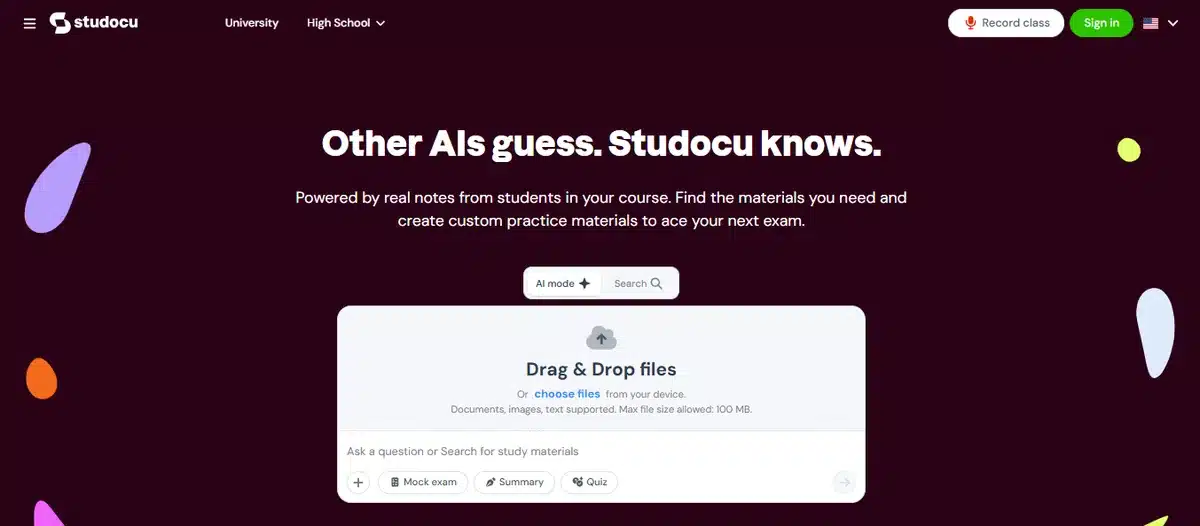
Studocu is helpful in the research and preparation stage of a dissertation. Its peer-shared document library allows students to find course-related notes, study guides, lecture notes, and other learning resources submitted by students all in one spot.
This is not a substitute for peer-reviewed literature, your university library, or original research. Instead, use it to get your basics: find out what current theories are, what terminology is used, what reading-list leads are present, and how a topic is usually explained in academic contexts.
Useful dissertation applications include:
- Reviewing lecture notes to refresh foundational concepts before reading dense research papers.
- Using study guides to map the major themes, debates, and terminology in a field.
- Annotating documents and maintaining working notes while reviewing material.
- Building a “background reading” folder before moving into primary academic sources.
- Comparing how multiple student notes explain the same difficult concept, then verifying it through credible sources.
The strongest utility of Studocu for dissertation work is the organisation of sources and notes.
For example, a student researching digital learning can use course notes to refresh essential academic topics, use summaries to compare concepts, and then go to original journal articles and books for the literature review of the dissertation.
Studocu’s AI tools can speed up dissertation research by turning uploaded lecture notes, presentations, and recordings into concise summaries. This helps you quickly identify relevant theories, definitions, terminology, and research themes before exploring peer-reviewed papers and original sources in depth.
You can also use the AI study assistant to ask focused questions, compare concepts, and receive step-by-step explanations based on available course notes. Its practice questions help you check your understanding before developing your literature review or outline.
Always verify information through credible sources and use your own analysis and wording.
Trust and academic integrity
The quality, accuracy, and originality of documents shared by students may vary. Check author, context, date, references, and claims before trusting any material.
Do not copy the wording of a peer document in your dissertation. Instead, use it to understand the topic, write your own interpretation, and check important claims with reputable sources.
2. Zotero: Manage References and Citations
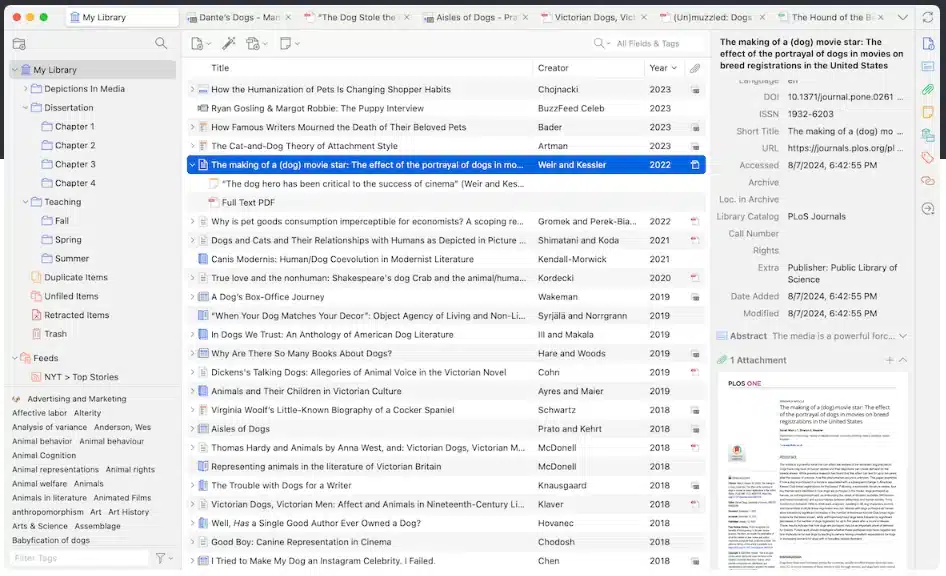
One of the strongest choices for managing a growing dissertation bibliography is Zotero. You can gather, organise, annotate, cite, and share research sources from one library. It can also capture citation information as you search research databases and online publications.
This can be especially helpful during a literature review, when dozens or hundreds of sources may need to be sorted into themes, methods, theories, or chapters.
Useful features:
- Save books, journals, reports, web pages, and other research materials.
- Group references in collections and subcollections.
- Add comments, links to certain sources, categories, and files.
- Use keywords and stored searches to search your library.
- Upload PDFs and highlight the important passages.
- Insert citations and bibliographies as you write.
- Select from thousands of citation styles.
- Synchronise your study data across devices as necessary.
- Share chosen libraries with colleagues.
Zotero works with popular word-processing tools and can produce citations and bibliographies straight from your draft. Its documentation also mentions compatibility for major referencing styles and thousands of journal and publisher styles.
Best dissertation use
Build a collection for your dissertation using individual folders for background theory, the literature review, research methodology, primary studies, counterarguments, and the sources used in each chapter.
For each major reference, add a brief comment on its research topic, technique, primary result, limitation, and relevance to your argument. This makes the writing step much quicker, as you will not have to revisit every document to recall why you saved it.
3. Mendeley: Read and Annotate Research PDFs
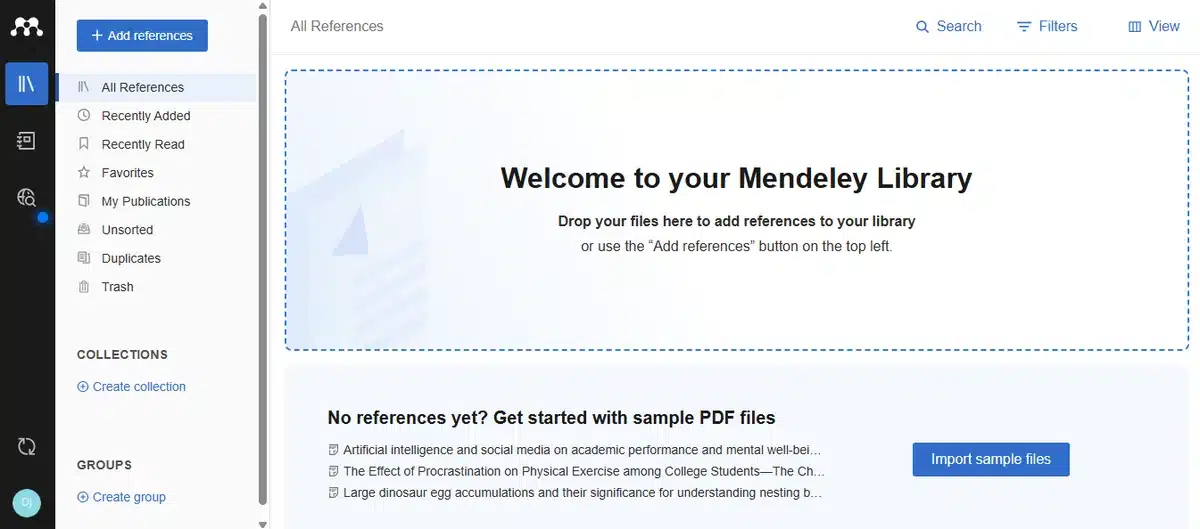
Mendeley is especially useful for students who like to read, highlight, and annotate PDF research papers in one workflow. It helps create an organised research library with its reference-management capabilities, and supports active reading with its annotation features.
Mendeley’s stated recommendations include highlighting, selecting text, sticky notes, and a Notebook to gather highlights and comments from several PDFs.
Useful features:
- Import and organise research references.
- Open and save PDF files.
- Mark significant passages.
- Put sticky notes on parts of a document that you choose.
- Combine key points from multiple documents into a single Notebook.
- Jump to where a saved highlight was originally located.
- Create shared libraries for joint research.
- Work with colleagues or research partners to annotate PDFs.
Best dissertation use
Use a consistent annotation system while reading — for example, yellow for key findings, blue for methods, green for definitions, red for constraints or disagreements, and purple for ideas about your research question.
Write a short original summary of each paper in your own words after reading it. For each source, include the purpose, evidence, limitations, and relevance to your dissertation. This prevents your library from becoming a pile of unprocessed PDFs.
If you care less about building a huge system of tags and note links than you do about reading PDFs and annotating them with collaborators, Mendeley is a strong choice.
4. Grammarly: Improve Clarity and Readability
Grammarly is best used as an editing tool, not a substitute for research or academic reasoning. It detects issues with grammar, spelling, punctuation, and clarity that are easy to miss over several rounds of writing. Its grammar checker is built to fix common writing errors and improve clarity.
Useful features:
- Spot spelling and punctuation errors.
- Fix grammatical errors.
- Mark up unclear or complicated sentences.
- Suggest improvements to sentence structure.
- Catch repeated words and redundant phrases.
- Assist with a final spellcheck run before submission.
Best dissertation use
Run Grammarly once you finish a section, not while you are writing each sentence. First and foremost, make sure your argument, evidence, structure, and citations are all correct. Then use the tool to improve readability.
For example, a long sentence containing several ideas might be broken into two shorter sentences. However, check every suggestion yourself. Automated corrections can alter the intended meaning, weaken a technical qualification, or make a tentative academic claim sound too assertive.
Grammarly should polish your writing, not build your argument, fabricate evidence, or substitute feedback from your supervisor.
5. ChatGPT: Build an Outline and Plan the Work
ChatGPT is useful for dissertation planning, but only for outlining, brainstorming, and organising your own ideas. Brainstorming is one of the strongest use cases — taking rough thoughts and translating them into structured, actionable plans.
In the workflow described in this article, only use ChatGPT for outlining. Do not use it to write dissertation paragraphs, make up sources, generate research findings, or replace reading.
Useful outlining prompts:
- Turn these research objectives into a possible structure for a dissertation chapter.
- Divide this literature review into three logical sections from my notes.
- Identify common themes in the following summaries.
- What questions should I answer in the methodology chapter?
- From this list of supervisor comments, make a to-do list for revision.
- Schedule weekly writing for these dissertation milestones.
Always check your output against your research question, university guidelines, your supervisor’s recommendations, and original sources. Content produced by AI may contain inaccuracies, omissions, or unsupported assumptions.
Some institutions require disclosure of AI use, some limit or ban its use in assessed dissertation work, and academic policies differ greatly. Postgraduate research guidance usually stresses transparency, verification, and the need to avoid presenting material generated by AI as your own work.
Tool Comparison
| Tool | Best for | Strongest feature | Main caution |
|---|---|---|---|
| Studocu | Organising course material and study resources | Annotation, lecture notes, peer documents, AI Notes, study guides, Ask AI | Check information shared by students and rewrite it in your own words. |
| Zotero | Managing citations and references | Collections, tags, notes, citation insertion, bibliographies | Verify imported metadata and citation style. |
| Mendeley | Reading and annotating PDFs | Highlights, sticky notes, Notebook, and shared libraries | Avoid collecting papers without processing them. |
| Grammarly | Proofreading and clarity | Grammar, spelling, punctuation, and readability suggestions | Review suggestions to avoid changing the meaning. |
| ChatGPT | Dissertation outlining and planning | Creating a structured plan from your own ideas | Do not submit generated text as your own; follow institutional rules. |
Combining the Tools: A Practical Workflow
- Studocu: Find your course code and download the 10 to 15 student notes and study guides that are most relevant. AI Notes can summarise them, and the Study Assistant can explain difficult abstract concepts. Make neat outlines and save them in your literature-review folder.
- Zotero: Import all primary sources (journal articles, books, and reports) using the browser connector. Organise them into chapter collections and add your own analytical memos to the PDFs.
- Mendeley (optional): Create a private group and link the same collection of resources if you are co-authoring or sharing annotated PDFs with a supervisor.
- ChatGPT: Provide your Zotero collections (export to BibTeX/CSV, or paste in the abstracts) so it can build a literature-review plan for your topic. Test your chapter structure and draft a methodology justification to refine yourself.
- Grammarly: Run finished chapters through it, accept the rewrites that genuinely improve clarity, and check for plagiarism before you submit.
- Write: Use Word, Google Docs, or Overleaf with Zotero or Mendeley inserting citations automatically as you write.
Final Thought
You will need a mix of tools to write the dissertation itself. Studocu helps with course materials, Zotero and Mendeley manage your citations, ChatGPT builds an outline for the structure, and Grammarly polishes the final write-up.
Learning to use them effectively really does save weeks of time — time you can then spend on your actual research.
Need a hand turning your research into a finished dissertation?
Our UK academic team can help you plan, structure, and refine your dissertation to your exact brief and deadline — with a free plagiarism report and confidential, one-to-one support.
Frequently Asked Questions
No. Studocu helps you understand topics, organise study materials, and find important themes or keywords. Build your dissertation on evidence from peer-reviewed academic publications and other authorised sources.
Yes. Many researchers keep a main library in Zotero (for ownership, BibTeX, and a rich set of plugins), then use Mendeley’s private groups to annotate PDFs collaboratively with supervisors. They keep the collections in sync by exporting and importing RIS or BibTeX files.
No. Grammarly detects problems with language and clarity, but it cannot replace your intellectual effort or your academic argument. Review every suggested change and follow your institution’s policies on AI-assisted editing.
Start with Studocu (to build a base of knowledge for each course) and Zotero (to keep every citation formatted). These cover the two most time-consuming questions: “what have others done in this discipline?” and “where did I store that reference?” Add Grammarly and ChatGPT later, when you start drafting.